
It is generally accepted that it is important to involve the end users of a Graphical User Interface (GUI) in all stages of its design and development. However, traditional GUI development tools typically do not support collaborative design. TelePICTIVE is an experimental software prototype designed to allow computer-naive users to collaborate with experts at possibly remote locations in designing GUIs.
TelePICTIVE is based on the PICTIVE participatory design methodology, and has been prototyped using the RENDEZVOUS system. In this paper we describe TelePICTIVE, and show how it is designed to support collaboration among a group of GUI designers with diverse levels of expertise. We also explore some of the issue that have come up during development and initial usability testing, such as how to coordinate simultaneous access to a shared design surface, and how to engage in the participatory design of GUIs using a Computer-Supported Cooperative Work (CSCW) system.

A technique for creating a touch-sensitive input device is proposed which allows multiple, simultaneous users to interact in an intuitive fashion. Touch location information is determined independently for each user, allowing each touch on a common surface to be associated with a particular user. The surface generates location dependent, modulated electric fields which are capacitively coupled through the users to receivers installed in the work environment. We describe the design of these systems and their applications. Finally, we present results we have obtained with a small prototype device.

In this paper we present a system for providing tactile feedback for stylus-based touch-screen displays. The Haptic Pen is a simple low-cost device that provides individualized tactile feedback for multiple simultaneous users and can operate on large touch screens as well as ordinary surfaces. A pressure-sensitive stylus is combined with a small solenoid to generate a wide range of tactile sensations. The physical sensations generated by the Haptic pen can be used to enhance our existing interaction with graphical user interfaces as well as to help make modern computing systems more accessible to those with visual or motor impairments.

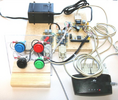
In this paper, we show how traditional physical interface components such as switches, levers, knobs and touch screens can be easily modified to identify who is activating each control. This allows us to change the function per-formed by the control, and the sensory feedback provided by the control itself, dependent upon the user. An auditing function is also available that logs each user's actions. We describe a number of example usage scenarios for our tech-nique, and present two sample implementations.

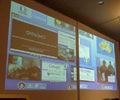
In this paper, we discuss our adaptation of a single-display, single-user commercial application for use in a multi-device, multi-user environment. We wrap Google Earth, a popular geospatial application, in a manner that allows for synchronized coordinated views among multiple instances running on different machines in the same co-located environment. The environment includes a touch-sensitive tabletop display, three vertical wall displays, and a TabletPC. A set of interaction techniques that allow a group to manage and exploit this collection of devices is presented.

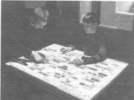
Supporting groups of individuals exploring large maps and design diagrams on interactive tabletops is still an open research problem. Today's geospatial, mechanical engineering and CAD design applications are mostly single-user, keyboard and mouse-based desktop applications. In this paper, we present the design of and experience with DTLens, a new zoom-in-context, multi-user, two-handed, multi-lens interaction technique that enables group exploration of spatial data with multiple individual lenses on the same direct-touch interactive tabletop. DTLens provides a set of consistent interactions on lens operations, thus minimizes tool switching by users during spatial data exploration.

Recent research on handheld projector interaction has expanded the display and interaction space of handheld devices by projecting information onto the physical environment around the user, but has mainly focused on single-user scenarios. We extend this prior single-user research to co-located multi-user interaction using multiple handheld projectors. We present a set of interaction techniques for supporting co-located collaboration with multiple handheld projectors, and discuss application scenarios enabled by them.

This research explores distributed sensing techniques for mobile devices using synchronous gestures. These are patterns of activity, contributed by multiple users (or one user with multiple devices), which take on a new meaning when they occur together in time, or in a specific sequence in time. To explore this new area of inquiry, this work uses tablet computers augmented with touch sensors and two-axis linear accelerometers (tilt sensors). The devices are connected via an 802.11 wireless network and synchronize their time-stamped sensor data. This paper describes a few practical examples of interaction techniques using synchronous gestures such as dynamically tiling together displays by physically bumping them together, discusses implementation issues, and speculates on further possibilities for synchronous gestures.

In this paper we propose a novel way of supporting occasional meetings that take place in unfamiliar public places, which promotes lightweight, visible and fluid collaboration. Our central idea is that the sharing and exchange of information occurs across public surfaces that users can easily access and interact with. To this end, we designed and implemented Dynamo, a communal multi-user interactive surface. The surface supports the cooperative sharing and exchange of a wide range of media that can be brought to the surface by users that are remote from their familiar organizational settings.

Visual tracking of bare fingers allows more direct manipulation of digital objects, multiple simultaneous users interacting with their two hands, and permits the interaction on large surfaces, using only commodity hardware. After presenting related work, we detail our implementation. Its design is based on our modeling of two classes of algorithms that are key to the tracker: Image Differencing Segmentation (IDS) and Fast Rejection Filters (FRF). We introduce a new chromatic distance for IDS and a FRF that is independent to finger rotation. The system runs at full frame rate (25 Hz) with an average total system latency of 80 ms, independently of the number of tracked fingers. When used in a controlled environment such as a meeting room, its robustness is satisfying for everyday use.