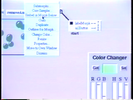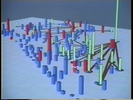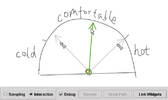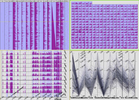

Today's generic data management applications such as accounting, CRM or logging and tracking software, rely on form and menu based interfaces. These applications take only marginal advantage of current graphical user interfaces. This is because the data they handle does not have intrinsic visual representations upon which direct manipulation principles can be used. This article presents how we have extended an Information Visualization framework with generic data manipulation functions. These new data editing capabilities are tuned to take advantage of the characteristics of each view. They enable us to generalize the direct manipulation mechanisms to address many abstract data manipulation needs. In this article we present five uses of the features we have implemented and deduce a general workflow applicable to a variety of contexts. The workflow comprises three steps and five editing actions. The steps are: adjust view, select, and edit. The editing actions are: edit a value or group of values, clone objects, remove objects, add attributes, and remove attributes. The workflow provides complete editing access to table and hierarchical data structures using particularly terse interaction methods. It defines a general data editing model that enables powerful data manipulation tasks without requiring end-user programming or scripting.

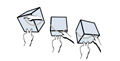
It is often difficult in computer graphics applications to understand spatial relationships between objects in a 3D scene or effect changes to those objects without specialized visualization and manipulation techniques. We present a set of three-dimensional tools (widgets) called “shadows” that not only provide valuable perceptual cues about the spatial relationships between objects, but also provide a direct manipulation interface to constrained transformation techniques. These shadow widgets provide two advances over previous techniques. First, they provide high correlation between their own geometric feedback and their effects on the objects they control. Second, unlike some other 3D widgets, they do not obscure the objects they control.

This paper presents a demonstrational interface builder with improved reasoning capabilities. The system is comprised of two major components: an interactive display manager and a rule-based reasoner. The display manager provides facilities to draw the physical appearance of an interface and define interface behavior by graphical demonstration. The behavior is defined using a technique of stimulus-response demonstrations. With this technique, an interface developer first demonstrates a stimulus that represents an action that an end user will perform on the interface. After the stimulus, the developer demonstrates the response(s) that should result from the given stimulus. As the behavior is demonstrated, the reasoner observes the demonstrations and draws inferences to expedite behavior definition. The inferences entail generalizing from specific behavior demonstrations and identifying constraints that define the generalized behavior. Once behavior constraints are identified, the reasoner sends them to the display manager to complete the definition process. When the interface is executed by an end-user, the display manager uses the constraints to implement the run-time behavior of the interface.

Graphical user interfaces (GUI) provide intuitive and easy means for users to communicate with computers. However, construction of GUI software requires complex programming that is far from being intuitive. Because of the “semantic gap” between the textual application program and its graphical interface, the programmer himself must conceptually maintain the correspondence between the textual programming and the graphical image of the resulting interface. Instead, we propose a programming environment based on the programming by visual example (PBVE) scheme, which allows the GUI designers to “program” visual interfaces for their applications by “drawing” the example visualization of application data with a direct manipulation interface. Our system, TRIP3, realizes this with (1) the bi-directional translation model between the (abstract) application data and the pictorial data of the GUI, and (2) the ability to generate mapping rules for the translation from example application data and its corresponding example visualization. The latter is made possible by the use of generalization of visual examples, where the system is able to automatically generate generalized mapping rules from a given set of examples.

Conventional interface builders allow the user interface designer to select widgets such as menus, buttons and scroll bars, and lay them out using a mouse. Although these are conceptually simple to use, in practice there are a number of problems. First, a typical widget will have dozens of properties which the designer might change. Insuring that these properties are consistent across multiple widgets in a dialog box and multiple dialog boxes in an application can be very difficult. Second, if the designer wants to change the properties, each widget must be edited individually. Third, getting the widgets laid out appropriately in a dialog box can be tedious. Grids and alignment commands are not sufficient. This paper describes Graphical Tabs and Graphical Styles in the Gild interface builder which solve all of these problems. A “graphical tab” is an absolute position in a window. A “graphical style” incorporates both property and layout information, and can be defined by example, named, applied to other widgets, edited, saved to a file, and read from a file. If a graphical style is edited, then all widgets defined using that style are modified. In addition, because appropriate styles are inferred, they do not have to be explicitly applied.

A large proportion of computer-supported tasks---such as design exploration, decision analysis, data presentation, and many kinds of retrieval---can be characterised as user-driven processing of a body of data in search of an outcome that satisfies the user. Clearly such tasks can never be automated fully, but few existing tools offer support for mechanising more than the simplest repetitive aspects of the search. Reconnaissance facilities, in which the computer produces summary reports from exploration in directions suggested by the user, can save the user time and effort by revealing which areas are the most deserving of detailed investigation. The time users are prepared to spend on searching will be more effectively used, improving the likelihood of finding solutions that really meet their needs rather than merely being the first to appear satisfactory. This note describes an implemented example of reconnaissance, based on the parallel coordinates presentation technique.

This paper presents the architecture for an extensible toolkit used in construction and rapid prototyping of three dimensional interfaces, interactive illustrations, and three dimensional widgets. The toolkit provides methods for the direct manipulation of 3D primitives which can be linked together through a visual programming language to create complex constrained behavior. Features of the toolkit include the ability to visually build, encapsulate, and parameterize complex models, and impose limits on the models. The toolkit's constraint resolution technique is based on a dynamic object model similar to those in prototype delegation object systems. The toolkit has been used to rapidly prototype tools for mechanical modelling, scientific visualization, construct 3D widgets, and build mathematical illustrations.

Multimodal interaction combines input from multiple sensors such as pointing devices or speech recognition systems, in order to achieve more fluid and natural interaction. Two-handed interaction has been used recently to enrich graphical interaction. Building applications that use such combined interaction requires new software techniques and frameworks. Using additional devices means that user interface toolkits must be more flexible with regard to input devices and event types. The possibility of parallel interactions must also be taken into account, with consequences on the structure of toolkits. Finally, frameworks must be provided for the combination of events and status of several devices. This paper reports on the extensions we made to the direct manipulation interface toolkit Whizz in order to experiment two-handed interaction. These extensions range from structural adaptations of the toolkit to new techniques for specifying the time-dependent fusion of events.

Diagram manipulation in conventional CAD systems requires frequent mode switching and explicit placement of the pivot for rotation and scaling. In order to simplify this process, we propose an interaction technique called integrated manipulation, where the user can move, rotate, and scale without mode switching. In addition, the pivot for rotation and scaling automatically snaps to a contact point during moving operation. We performed a user study is performed using our prototype system and a commercial CAD system. The results showed that users could perform a diagram manipulation task much more rapidly using our technique.

We describe the use of non-verbal features in voice for direct control of interactive applications. Traditional speech recognition interfaces are based on an indirect, conversational model. First the user gives a direction and then the system performs certain operation. Our goal is to achieve more direct, immediate interaction like using a button or joystick by using lower-level features of voice such as pitch and volume. We are developing several prototype interaction techniques based on this idea, such as "control by continuous voice", "rate-based parameter control by pitch," and "discrete parameter control by tonguing." We have implemented several prototype systems, and they suggest that voice-as-sound techniques can enhance traditional voice recognition approach.

Current constraint solving techniques for interactive graphical applications cannot satisfactorily handle constraints such as non-overlap, or containment within non-convex shapes or shapes with smooth edges. We present a generic new technique for efficiently handling such kinds of constraints based on trust regions and linear arithmetic constraint solving. Our approach is to model these more complex constraints by a dynamically changing conjunction of linear constraints. At each stage, these give a local approximation to the complex constraints. During direct manipulation, linear constraints in the current local approximation can become active indicating that the current solution is on the boundary of the trust region for the approximation. The associated complex constraint is notified and it may choose to modify the current linear approximation. Empirical evaluation demonstrates that it is possible to (re-)solve systems of linear constraints that are dynamically approximating complex constraints such as non-overlap sufficiently quickly to support direct manipulation in interactive graphical applications.

Informal prototyping tools have shown great potential in facilitating the early stage design of user interfaces. How-ever, continuous interactions, an important constituent of highly interactive interfaces, have not been well supported by previous tools. These interactions give continuous visual feedback, such as geometric changes of a graphical object, in response to continuous user input, such as the movement of a mouse. We built Monet, a sketch-based tool for proto-typing continuous interactions by demonstration. In Monet, designers can prototype continuous widgets and their states of interest using examples. They can also demonstrate com-pound behaviors involving multiple widgets by direct ma-nipulation. Monet allows continuous interactions to be eas-ily integrated with event-based, discrete interactions. Con-tinuous widgets can be embedded into storyboards and their states can condition or trigger storyboard transitions. Monet achieves these features by employing continuous function approximation and statistical classification techniques, without using any domain specific knowledge or assuming any application semantics. Informal feedback showed that Monet is a promising approach to enabling more complete tool support for early stage UI design.

Today's generic data management applications such as accounting, CRM or logging and tracking software, rely on form and menu based interfaces. These applications take only marginal advantage of current graphical user interfaces. This is because the data they handle does not have intrinsic visual representations upon which direct manipulation principles can be used. This article presents how we have extended an Information Visualization framework with generic data manipulation functions. These new data editing capabilities are tuned to take advantage of the characteristics of each view. They enable us to generalize the direct manipulation mechanisms to address many abstract data manipulation needs. In this article we present five uses of the features we have implemented and deduce a general workflow applicable to a variety of contexts. The workflow comprises three steps and five editing actions. The steps are: adjust view, select, and edit. The editing actions are: edit a value or group of values, clone objects, remove objects, add attributes, and remove attributes. The workflow provides complete editing access to table and hierarchical data structures using particularly terse interaction methods. It defines a general data editing model that enables powerful data manipulation tasks without requiring end-user programming or scripting.

Spatial layout is frequently used for managing loosely organized information, such as desktop icons and digital ink. To help users organize this type of information efficiently, we propose an interface for manipulating spatial aggregations of objects. The aggregated objects are automatically recognized as a group, and the group structure is visualized as a two-dimensional bubble surface that surrounds the objects. Users can drag, copy, or delete a group by operating on the bubble. Furthermore, to help pick out individual objects in a dense aggregation, the system spreads the objects to avoid overlapping when requested. This paper describes the design of this interface and its implementation. We tested our technique in icon grouping and ink relocation tasks and observed improvements in user performance.

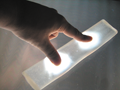
Touch is a compelling input modality for interactive devices; however, touch input on the small screen of a mobile device is problematic because a user's fingers occlude the graphical elements he wishes to work with. In this paper, we present LucidTouch, a mobile device that addresses this limitation by allowing the user to control the application by touching the back of the device. The key to making this usable is what we call pseudo-transparency: by overlaying an image of the user's hands onto the screen, we create the illusion of the mobile device itself being semi-transparent. This pseudo-transparency allows users to accurately acquire targets while not occluding the screen with their fingers and hand. Lucid Touch also supports multi-touch input, allowing users to operate the device simultaneously with all 10 fingers. We present initial study results that indicate that many users found touching on the back to be preferable to touching on the front, due to reduced occlusion, higher precision, and the ability to make multi-finger input.

We explore the design space of a two-sided interactive touch table, designed to receive touch input from both the top and bottom surfaces of the table. By combining two registered touch surfaces, we are able to offer a new dimension of input for co-located collaborative groupware. This design accomplishes the goal of increasing the relative size of the input area of a touch table while maintaining its direct-touch input paradigm. We describe the interaction properties of this two-sided touch table, report the results of a controlled experiment examining the precision of user touches to the underside of the table, and a series of application scenarios we developed for use on inverted and two-sided tables. Finally, we present a list of design recommendations based on our experiences and observations with inverted and two-sided tables.